Connected business system
One connected system instead of six disconnected tools
VA Pro Studio builds connected business systems for service companies, combining website infrastructure, CRM, client portal, content operations, automation, AI-assisted tools, integrations, and custom applications around the same business context — not forcing every company into the same software stack, but creating an operating environment that reflects how that business actually works.
Where the work leaks out
A form on the website, a phone that rings, a spreadsheet of customers, a texting app, and an invoicing tool that knows nothing about the other four. Every handoff between them is a place where an inquiry goes unanswered, a follow-up never happens, and nobody can say where a job stands without asking three people.
How the parts fit together
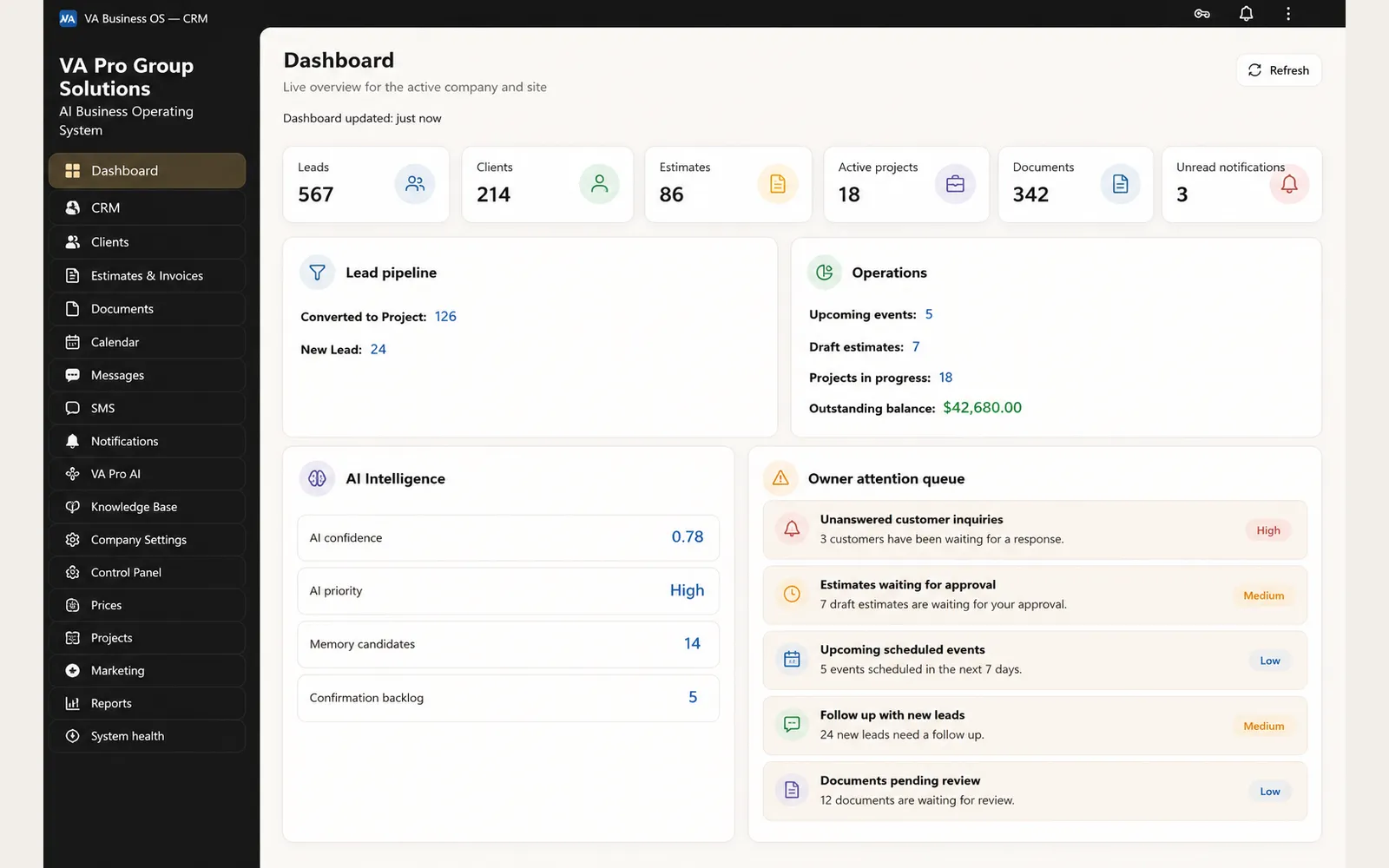
One record can follow a customer from the first inquiry through active work and ongoing follow-up: Website Presence brings the customer into the system, CRM Core keeps the relationship and project context connected, Client Portal provides controlled client access, and Content/SMM Engine supports ongoing visibility and reusable business content, while automation, AI-assisted operations, integrations, and custom applications build on that same context where they create real operational value.
The system is designed around shared business context
A connected system is not simply a collection of applications linked together with a few integrations.
The important part is the business context shared between them.
A customer who enters through the website should not become a new disconnected record when the business creates an estimate, opens a project, sends a document, requests an approval, or gives the client portal access.
The same principle applies internally. Project information, communication history, documents, workflow status, client activity, and owner decisions are more useful when they remain connected to the same customer and project rather than being recreated across separate tools.
That shared context becomes the foundation for the rest of the system.
It allows automation to act on known workflow states instead of guessing from isolated information. It allows AI-assisted tools to work with approved business context instead of generic prompts. It allows dashboards to show what is actually happening across the operation instead of reporting on only one application.
It also makes custom development more useful.
When a business has a workflow that standard software does not handle well, VA Pro Studio can build a custom application, internal interface, dashboard, or specialized tool around that process and connect it to the rest of the operating environment.
Not every company needs the same architecture.
Some businesses may keep existing accounting, scheduling, payment, or communication tools. Others may replace systems that create too much manual work. Discovery determines what should stay, what should connect, what should be replaced, and what should be built.
The goal is not to eliminate every third-party tool, but to make the important parts of the business work together with less duplication, less manual handoff, and better visibility for the owner.
The inquiry arrives
An inquiry from a form, a message, or a logged call becomes one customer record with a source, a history, and an owner, before anyone types it into a spreadsheet.
Follow-up is built to run itself
Reminders, status changes, and routing are designed to happen on schedule as automation rolls out. Anything that costs money or changes an agreement always waits for your decision.
The client can see the work
Approvals, documents, invoices, and project status live in one portal, so the answer to “where are we” is a link instead of a phone call.
The system reports back
Owner views show what came in, what stalled, and what needs a decision this week.
Common questions
Is this a website or software?
Both, and neither on its own. The website is the entry point; behind it sit customer records, a client portal, and owner reporting, with follow-up automation rolling out on top. Buying only a website leaves the operating problem in place.
Do I have to replace the tools I already use?
Not necessarily. Discovery starts with what already exists. Some tools stay and connect; others are replaced because keeping them costs more in manual work than replacing them.
How long does implementation take?
It depends on scope, and we do not quote a timeline before Discovery. Every proposal states the milestones and ties payment to them: 40% at start, 30% at the staging milestone, and 30% after final acceptance.
See whether your business is a fit
Tell us what the business does and what is going wrong. We read every answer and say plainly whether this is something we can build well.