CRM Core
Every inquiry becomes a record, not a note somewhere
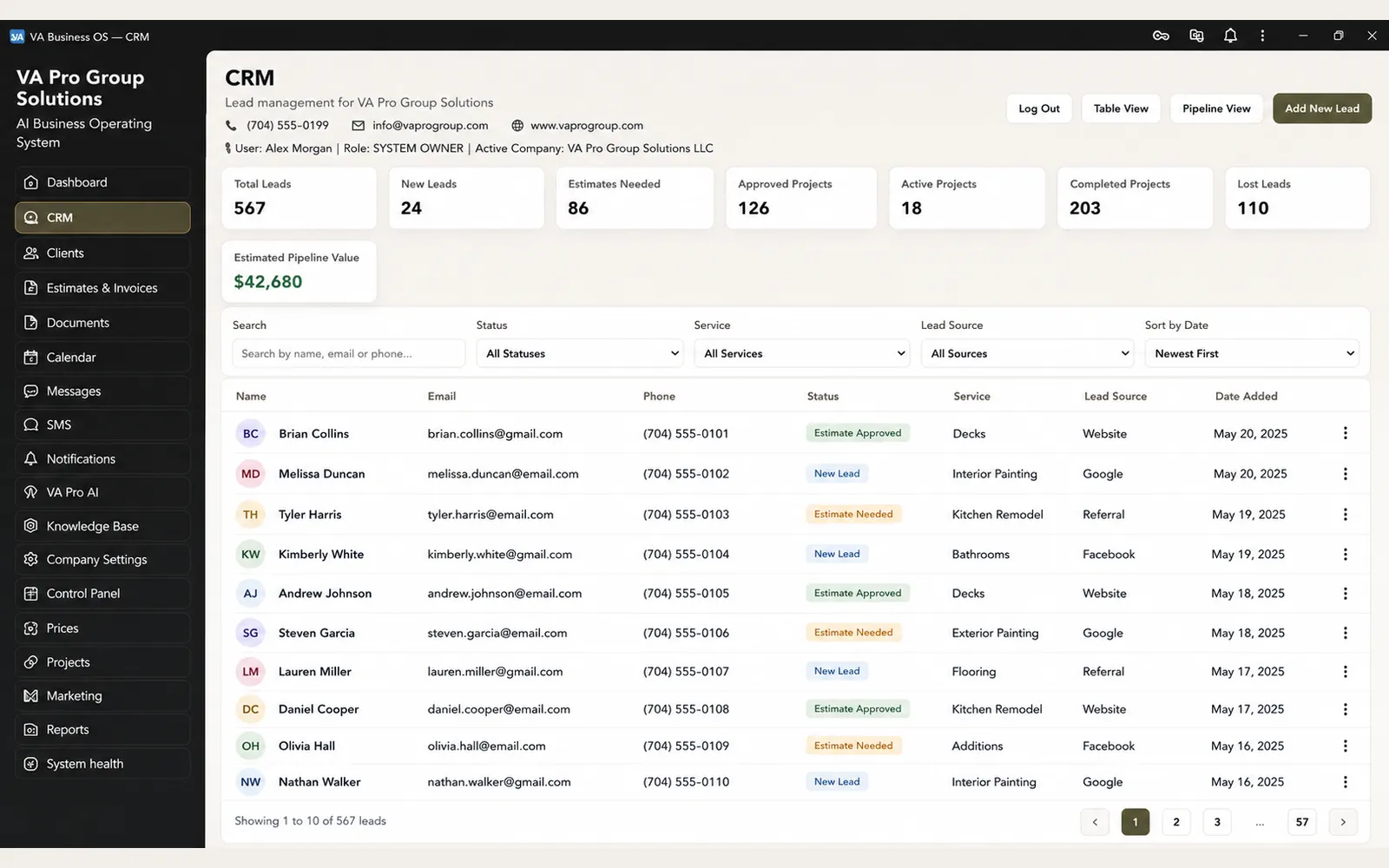
CRM Core is the customer layer of the system: who called, what they asked for, what was quoted, what happened next, and who owns it now. It is the difference between a business that remembers and a business that re-asks.
The cost of a customer list in five places
Phone notes, a shared inbox, a spreadsheet, and one person's memory. Nothing is wrong with any of them until the estimate is late, a returning customer has to explain the job again, and nobody can tell which inquiries were never answered at all.
What CRM Core holds
One record per customer keeps the inquiry, source, work history, documents, communication context, and current stage connected. Records are scoped to your business, while client-visible summaries remain separated from internal notes, pricing logic, and other private operational information.
CRM should preserve the business context, not just the contact
A useful CRM for a service business should do more than store a name, phone number, and email address.
The important part is the context around the relationship.
How did the customer first contact the business? What did they ask for? Was an estimate created? Did the work move forward? Which project is connected to the customer? What documents were exchanged? What decisions are still waiting? Who on the team is responsible for the next step?
When those answers live in different tools, the CRM becomes only another address book.
CRM Core is designed so the customer record can become the common reference point for inquiries, estimates, projects, communication, documents, workflow status, and follow-up.
That means a returning customer does not have to start from zero. The business can see the previous relationship, understand what happened before, and continue from the existing context.
For the owner, this also creates better visibility across the pipeline.
Instead of asking whether someone followed up, whether an estimate was sent, or why an inquiry disappeared, the system can show what entered the pipeline, what changed, what is waiting, and where responsibility currently sits.
The objective is not to collect more data. The objective is to keep the information that matters connected to the work the business actually performs.
Existing CRM systems do not have to be replaced automatically
A connected business system does not require replacing every tool the company already uses.
If an existing CRM works well for the business, Discovery can determine whether it should remain in place and connect to the rest of the operating environment.
The decision depends on the actual workflow.
Sometimes the existing CRM should remain the system of record. In other cases, it may be creating duplicate entry, limiting access to information, or forcing the team to maintain the same customer context in multiple places.
VA Pro Studio evaluates what should stay, what should connect, and what should be replaced based on the operational cost of keeping the current setup — not simply because a newer system can be built.
Where integration is appropriate, customer or workflow information can be connected to approved external services rather than recreated unnecessarily.
Better visibility for the Owner
CRM Core is not only about managing customers. It also gives the Owner a clearer view of how customer work is moving through the business.
That can include questions such as:
- Which inquiries are still unanswered?
- Which estimates are waiting for a decision?
- Which customers have stalled?
- Which projects need attention?
- Which follow-up actions are overdue?
- Which channels are producing qualified work?
The purpose of reporting is not to create another dashboard full of numbers. It is to surface the information that requires attention so the Owner can make decisions without reconstructing the status of the business from multiple tools.
Capture
Website forms, calls, and messages create a record with a source, so you can see which channel actually produces work.
History
Quotes, jobs, documents, and conversations stay attached to the customer instead of living in one person's inbox.
Stages
A simple pipeline shows what is new, what is waiting on you, and what is waiting on the client.
Boundaries
Client-safe fields are separated from internal notes, so sharing a status never exposes a private comment or pricing work.
Common questions
Do you replace the CRM I already run?
Only if it costs more than it returns. Discovery looks at what is already in place; the system can connect to an existing CRM or take the role over.
Where does the data live and who owns it?
Your business data is yours and is exportable under the agreed retention and offboarding rules. VA Pro Studio keeps its own reusable platform core, which is not part of your data.
Can my whole team see everything?
Access follows the person's role. Staff see the projects they are assigned to; owner-level views and commercial detail stay with the owner.
Start with what already exists
Discovery maps your current tools, records, and gaps before anything is rebuilt. It is $600 and is credited in full toward implementation.