Automation Layer
Follow-up designed to happen whether or not you remember
The Automation Layer is built to run the repetitive part of the operation — reminders, status changes, routing, and hand-offs — as it rolls out. Anything that costs money or changes an agreement always waits for a human decision.
Most lost work is not lost to competitors
It is lost to a follow-up nobody made on a busy Thursday. Estimates that go quiet, appointments nobody confirmed, and messages that arrive while the only person who could answer them is on a roof.
Automated where it is safe, approved where it is not
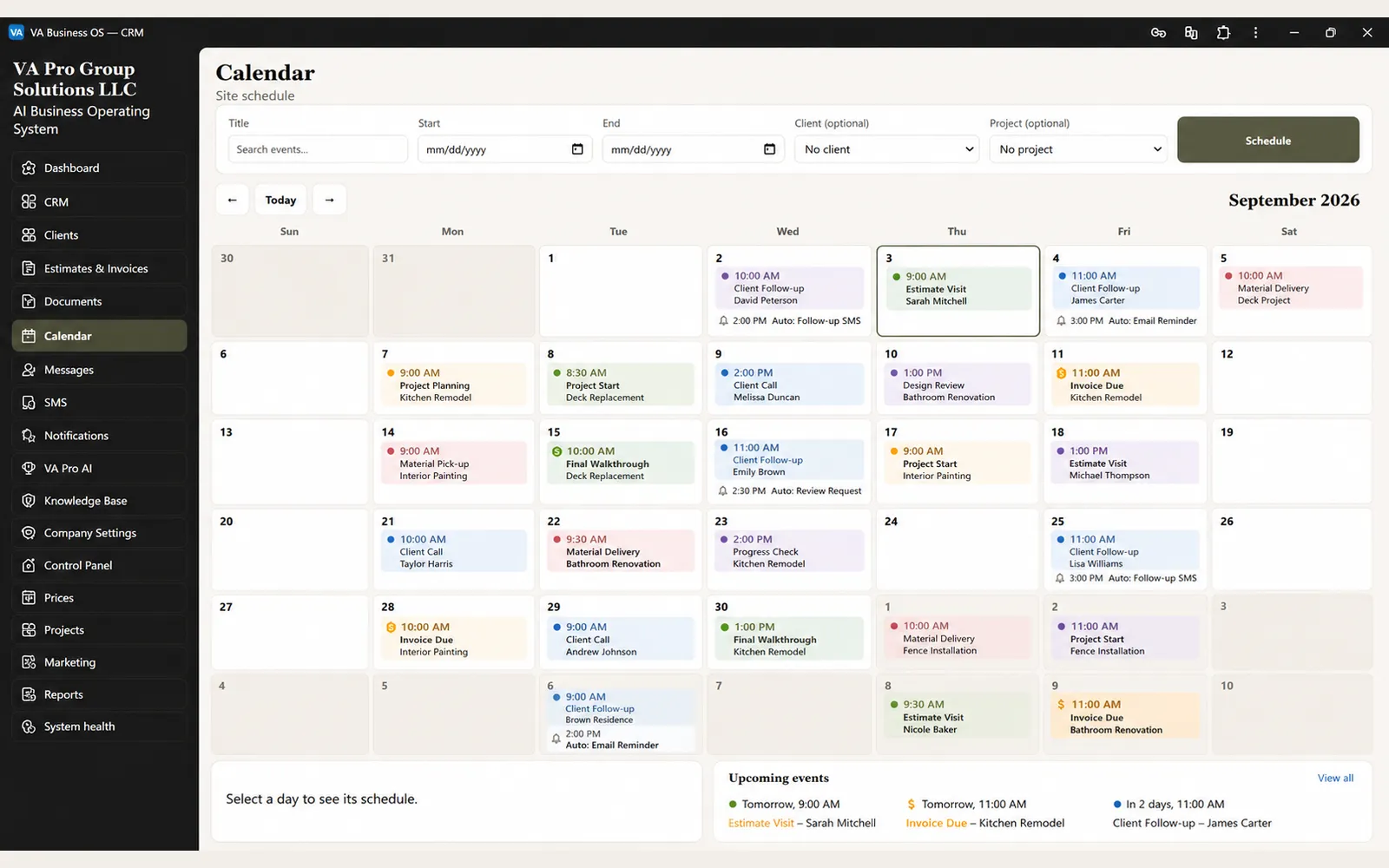
Scheduled follow-up, reminders, routing, and status updates are designed to run on their own as the Automation Layer rolls out. Financial, legal, and rights-changing steps always stop and wait for a human decision, and every transition is recorded rather than happening invisibly in the background.
Automation should remove repeated work, not remove judgment
The most useful automation in a service business usually begins with work that is predictable, repetitive, and easy to forget when the day gets busy.
A new inquiry may need a response. An estimate may need a follow-up. An appointment may need confirmation. A client may need a reminder. A project may be waiting on an approval. An internal request may need to reach the right person.
None of these tasks is complicated on its own.
The problem is that they compete with active jobs, phone calls, field work, customer questions, and everything else the team is handling at the same time.
When the process depends entirely on memory, the business eventually misses something.
Automation creates a defined path for those repeated actions.
Instead of asking someone to remember every follow-up, the system can recognize that a customer is waiting, a deadline is approaching, or a workflow has reached a specific stage and prepare the next action accordingly.
That does not mean the system should make every decision automatically. Some steps are operational and predictable. Others change money, scope, access, commitments, or customer expectations. Those actions should remain behind explicit approval.
The value of automation is not that “the computer does everything.” The value is that routine work becomes more consistent while important decisions stay with the people responsible for the business.
Automation works best when it understands the workflow
Automation becomes much more useful when it is connected to the same customer, project, and status information used by the rest of the business.
A reminder should not be sent simply because a timer expired.
It should be sent because the system knows what stage the work is in, what has already happened, what is still waiting, and whether another action has already resolved the need.
The same applies to routing and internal tasks.
A request can be directed based on project type, customer status, assignment, workflow stage, or another approved business rule instead of whoever happens to notice the message first.
Because the automation layer sits on top of the connected operating system, it can use existing business context rather than creating another separate database of rules and reminders.
That makes the workflow easier to supervise. The Owner can see why an action was triggered, what happened next, and where a human decision is required.
As additional delivery channels such as email, SMS, task systems, or external providers are introduced, those actions should continue to follow the same approval, consent, security, and audit rules.
Automation should extend the operating system. It should not become another invisible system running beside it.
Start with the gaps that already cost the business
Not every workflow should be automated.
Discovery should first identify where the business is already losing time, consistency, or follow-up. Typical candidates include:
- unanswered inquiries
- estimates that receive no follow-up
- appointment confirmations and reminders
- approvals waiting too long
- repeated status updates
- internal routing
- overdue tasks
- recurring administrative steps
The priority should be the workflows where automation removes real friction, not automation for its own sake.
Follow-up on a schedule
New inquiries and open estimates get a defined sequence instead of depending on who remembers.
Reminders both ways
The client is reminded about approvals and appointments; you are reminded about the work waiting on you.
Routing
Requests reach the right person by type and assignment rather than by whoever opens the inbox first.
Approval gates
Anything that moves money, changes scope, or grants access stops for an explicit human decision.
Common questions
Will this message my customers without me seeing it?
No. Message content is defined and approved before anything is scheduled, and anything financial or contractual requires a human decision at the moment it happens.
What if an automated step gets something wrong?
Every transition is recorded, so a wrong step can be found and reversed. Corrections are covered by the included hours on a support plan.
Is automation part of my package today?
Not yet as a shipped module. Foundation and Core both cover the website, customer records, calendar, and history; follow-up automation is being built and will be scoped into your proposal once it is ready to deliver, not sold as included today.
Find the follow-up you are losing
Discovery identifies where inquiries go quiet today and which of those gaps automation can close without taking a decision out of your hands.